
Your agents
Claude Code and Codex continue running locally in their existing terminal sessions.
Keep your AI coding agents in terminal tabs while RobotBridge provides a shared view of projects and tasks.
Version 0.2 previewFor M-series Macs with macOS 26 or above
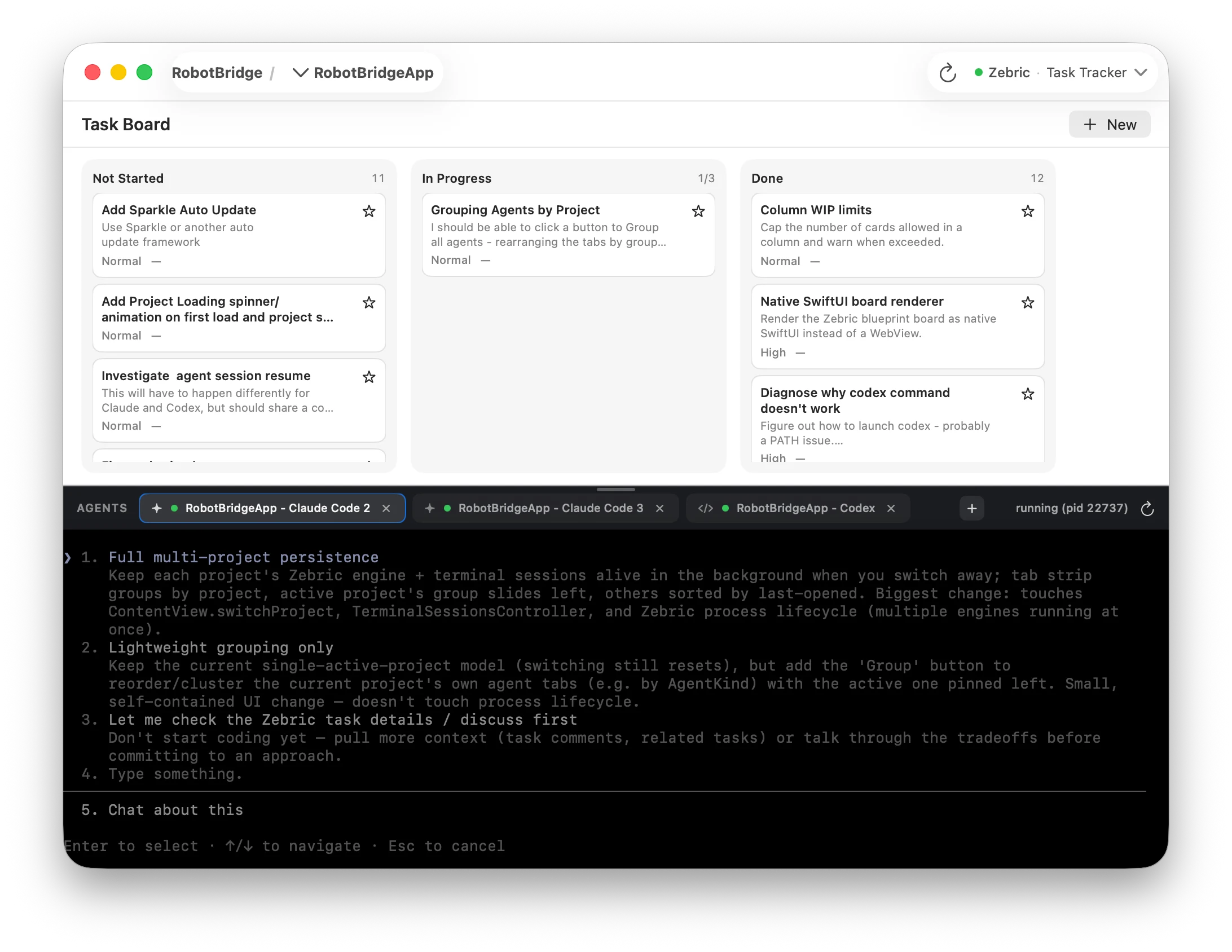
One workspace, CLI + Tasks
RobotBridge adds a shared project and task view alongside your existing CLI sessions. Easily switch between different projects within RobotBridge to stay focused.
Claude Code and Codex continue running locally in their existing terminal sessions.
The app and the agent-facing MCP interface use the same project and task data.
Zebric defines the workspace UI and MCP interface from the same application model.
Supported agents
RobotBridge works with supported CLI tools running locally and shares project and task data through MCP.
Use your existing coding CLI subscriptions and configurations
RobotBridge for macOS
Use the native workspace alongside your existing terminal sessions.
Download for Mac